On March 7th, Google is pulling the plug on Google+ API. Many sites use Google+ API for basic external user authentication.
At our company, we use Google+ API to support Google logins, but it was time to make the switch to another supported API in order to continue coverage for our users.
Our current, in production application is a .NET Framework application, which still uses webforms (legacy I know, we are in the process of upgrading to .NET Core).
Making the switch was pretty straight forward, and I wanted to share my experience as I didn’t see much in terms of documentation.
Current Situation
Currently, Google+ API is enabled. In my startup.auth.cs, I have the following:
 app.UseGoogleAuthentication(new GoogleOAuth2AuthenticationOptions()
            {
                ClientId = AppSettings.GoogleClientId,
                ClientSecret = AppSettings.GoogleSecret,
                Provider = new GoogleOAuth2AuthenticationProvider()
                {
                    OnAuthenticated = (context) =>
                    {
                        context.Identity.AddClaim(new Claim("urn:google:name", context.Identity.FindFirstValue(ClaimTypes.Name)));
                        context.Identity.AddClaim(new Claim("urn:google:email", context.Identity.FindFirstValue(ClaimTypes.Email)));
                        context.Identity.AddClaim(new System.Security.Claims.Claim("urn:google:accesstoken", context.AccessToken, ClaimValueTypes.String, "Google"));

                        return Task.FromResult(0);
                    }
                }
            });
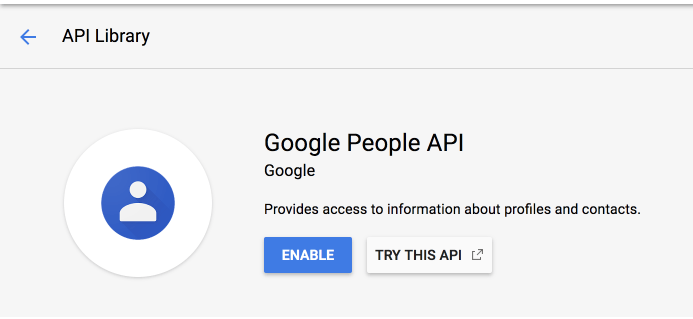
My first step was to simply change out the API being used. Instead of Google + API, I used Google People API. To be safe, I set up another project (with new credentials) so that I could play around on my development environment without impacting my customers.
I set up a new project, added the allowed <my-domain>/signin-google URLs, and installed the new ClientId and Secret.
My first pass didn’t work.
  var manager = Context.GetOwinContext().GetUserManager<ApplicationUserManager>();
                var signInManager = Context.GetOwinContext().Get<ApplicationSignInManager>();
                var loginInfo = Context.GetOwinContext().Authentication.GetExternalLoginInfo();
                if (loginInfo == null)  //login failed
                {
                    RedirectOnFail();
                    return;
                }
logininfo was returning NULL.
It turns out, which might be obvious to many, is that the claims returned by the Google People API differ from those of Google+. So all I had to do was remove the claims I created on startup. I didn’t need those claims for my basic authentication, so it worked for me.
  app.UseGoogleAuthentication(new GoogleOAuth2AuthenticationOptions()
            {
                ClientId = AppSettings.GoogleClientId,
                ClientSecret = AppSettings.GoogleSecret,
                Provider = new GoogleOAuth2AuthenticationProvider()
                {
                    OnAuthenticated = (context) =>
                    {
//note that here is where I removed those claims I was creating before.
                        return Task.FromResult(0);
                    }
                }
            });
After I did that, my google authentication worked perfectly!

 andersonnjen.com